 Mia Woods
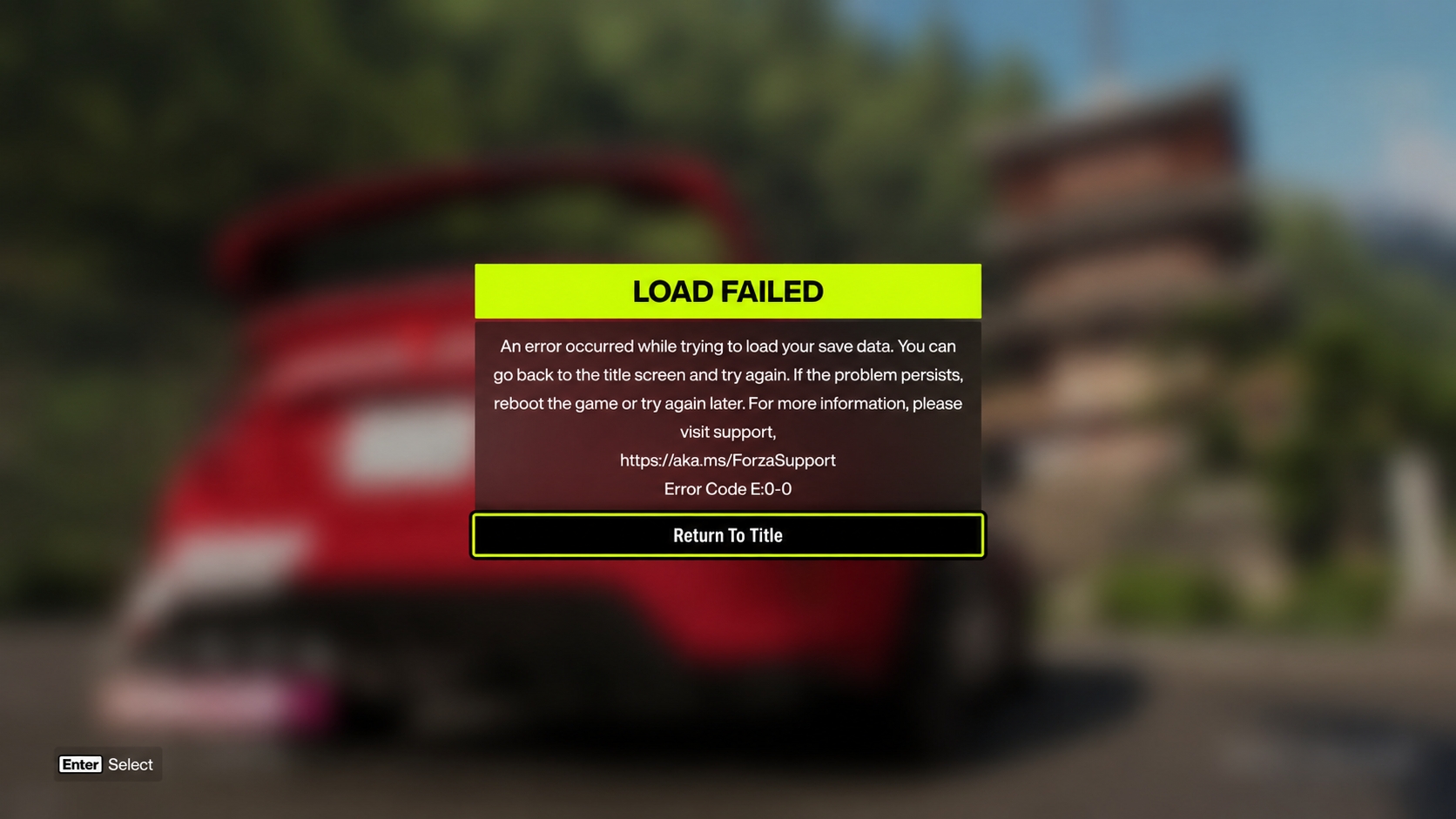
 The Forza Horizon 6 Error E:0-0 is one of the most common issues players encounter after the game’s release. This error typically appears when launching the game, during loading screens, or when trying to access online features. It is usually caused by corrupted save files, problems with Xbox Live services, or connection failures between your PC/console and Forza servers. If you’re seeing the E:0-0 error, don’t worry. Most cases can be fixed quickly using the methods below.
What Causes Forza Horizon 6 Error E:0-0?
- Corrupted local save data or cloud sync issues.
- Xbox Live services not running properly.
- Outdated or corrupted Gaming Services on Windows.
- Administrator permission problems.
- Profile authentication failures.
Here are the most effective solutions, ordered from quickest to more advanced.
1. Restart Xbox Live Services (Fastest Fix)
Many E:0-0 errors are caused by stopped or malfunctioning Xbox background services.
On Windows 10/11:
- Press Win + R, type services.msc, and press Enter.
- Find the following services:
- Xbox Live Auth Manager
- Xbox Live Game Save
- Xbox Live Networking Service
- Double-click each one, set Startup type to Automatic, and click Start (or Restart if already running).
- Restart your PC and launch Forza Horizon 6.
2. Run Forza Horizon 6 as Administrator
- Navigate to your game installation folder (usually C:\Program Files(x86)\Steam\steamapps\common\ ForzaHorizon6 or the Xbox app folder).
- Locate the main executable (ForzaHorizon6.exe).
- Right-click it → Properties → Compatibility tab.
- Check Run this program as an administrator.
- Click Apply and try launching the game.
3. Repair Gaming Services (Windows Only)
Corrupted Gaming Services is a very common trigger for E:0-0.
- Open Settings (Win + I) → Apps → Installed apps.
- Search for Gaming Services.
- Click the three dots → Advanced options.
- Click Repair, then Reset if Repair doesn’t work.
- Restart your PC afterward.
4. Reset Your Xbox Profile
- Completely sign out of your Microsoft/Xbox account in the Xbox app.
- Exit Forza Horizon 6 completely (check Task Manager to ensure no processes remain).
- Restart your PC or console.
- Sign back into your Xbox account.
- Launch the game and wait for cloud sync to complete.
5. Additional Troubleshooting Steps
- Verify Game Files:
- Steam: Right-click Forza Horizon 6 → Properties → Installed Files → Verify integrity of game files.
- Xbox App: Click the three dots next to the game → Manage → Verify and repair.
- Clear Cache:
- Delete the contents of %localappdata%\ForzaHorizon6 (except the save folder if you want to keep progress).
- On console: Clear persistent storage (Xbox Series X/S).
- Update Windows and Drivers:
- Make sure Windows is fully updated.
- Update your GPU drivers (NVIDIA/AMD).
- Disable VPN / Overlays:
- Temporarily disable Discord, GeForce Experience, or any overlay software.
- Reinstall Gaming Services (if all else fails):
- Open PowerShell as Administrator and run:
Get-AppxPackage *gaming services* -AllUsers | Remove-AppxPackage -AllUsersThen reinstall Gaming Services from the Microsoft Store.
How to Prevent Error E:0-0 in the Future
- Always let cloud saves sync completely before closing the game.
- Keep Xbox services set to Automatic.
- Avoid force-closing the game during saving.
- Regularly verify game files after major updates.
If none of the above works, the issue may be server-side. You can also try playing in offline mode temporarily or creating a new Xbox profile to test if your main profile is corrupted. This guide is regularly updated with the latest working solutions for the E:0-0 error. Make sure to check out our previous guide on how to get fast XP in Forza Horizon 6 as well. Let us know in the comments which method worked for you!